Features that make VDI simple
Everything you need to deploy and manage virtual desktops, without the enterprise complexity.
Simple VM Creation
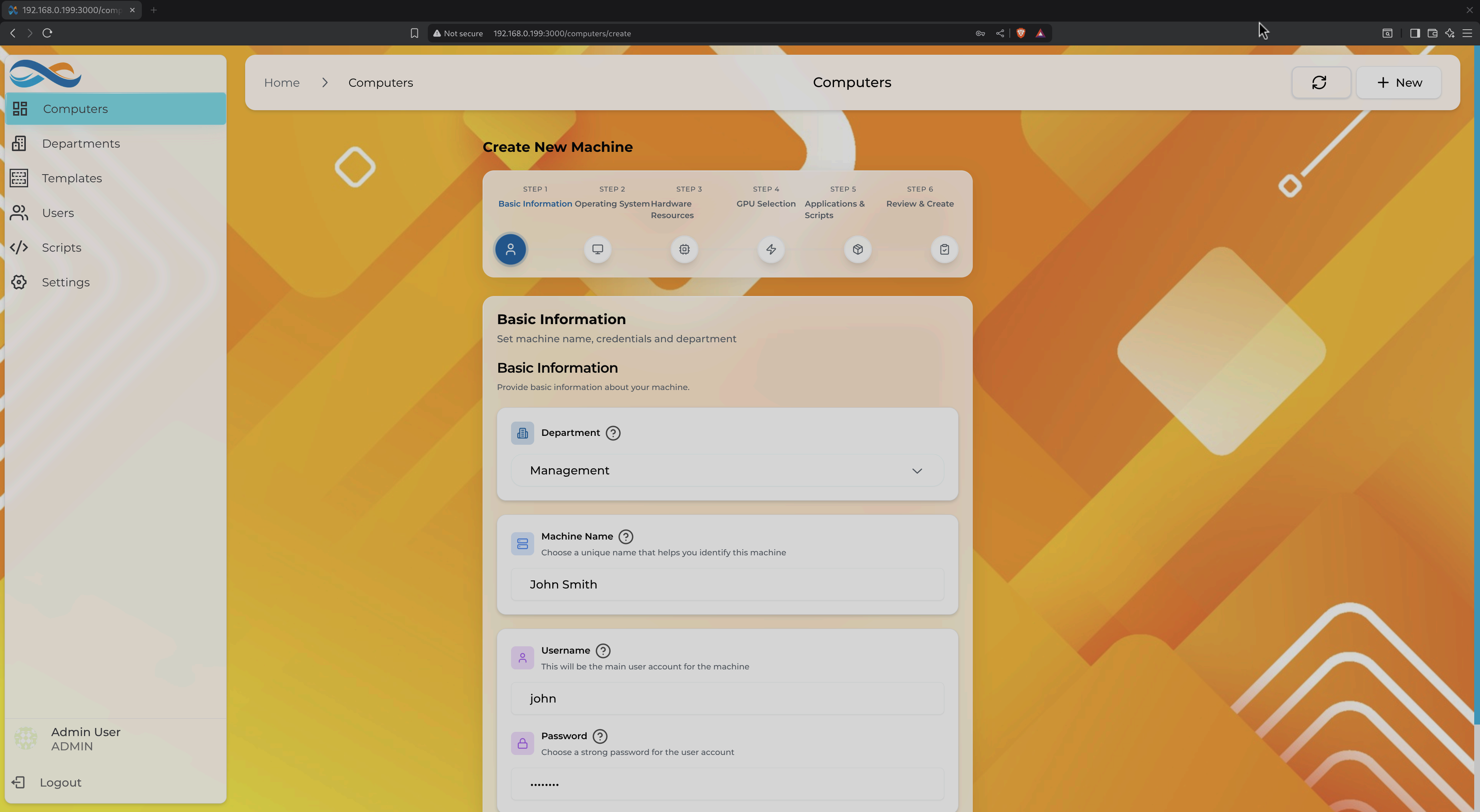
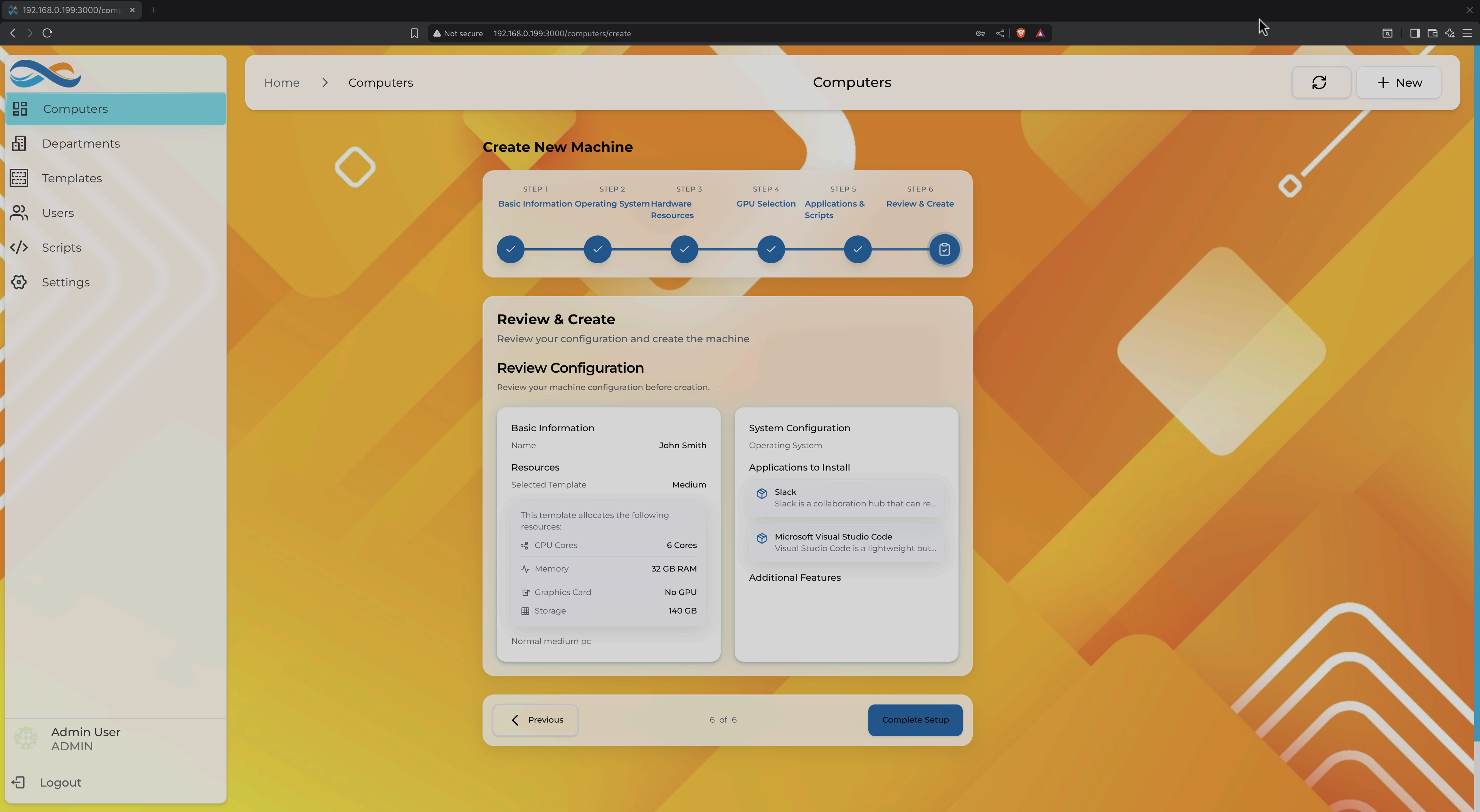
Create production-ready virtual machines in 6 guided steps
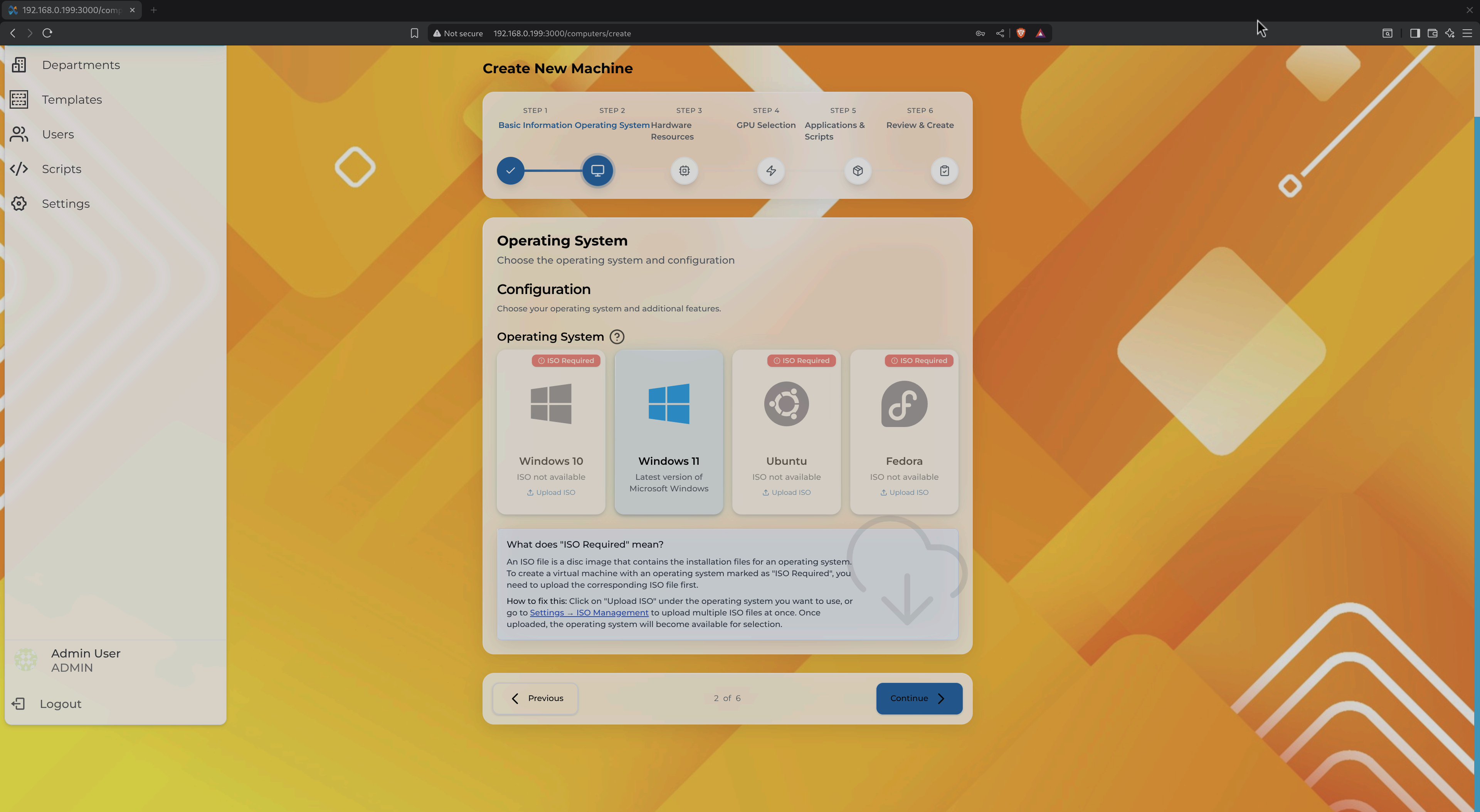
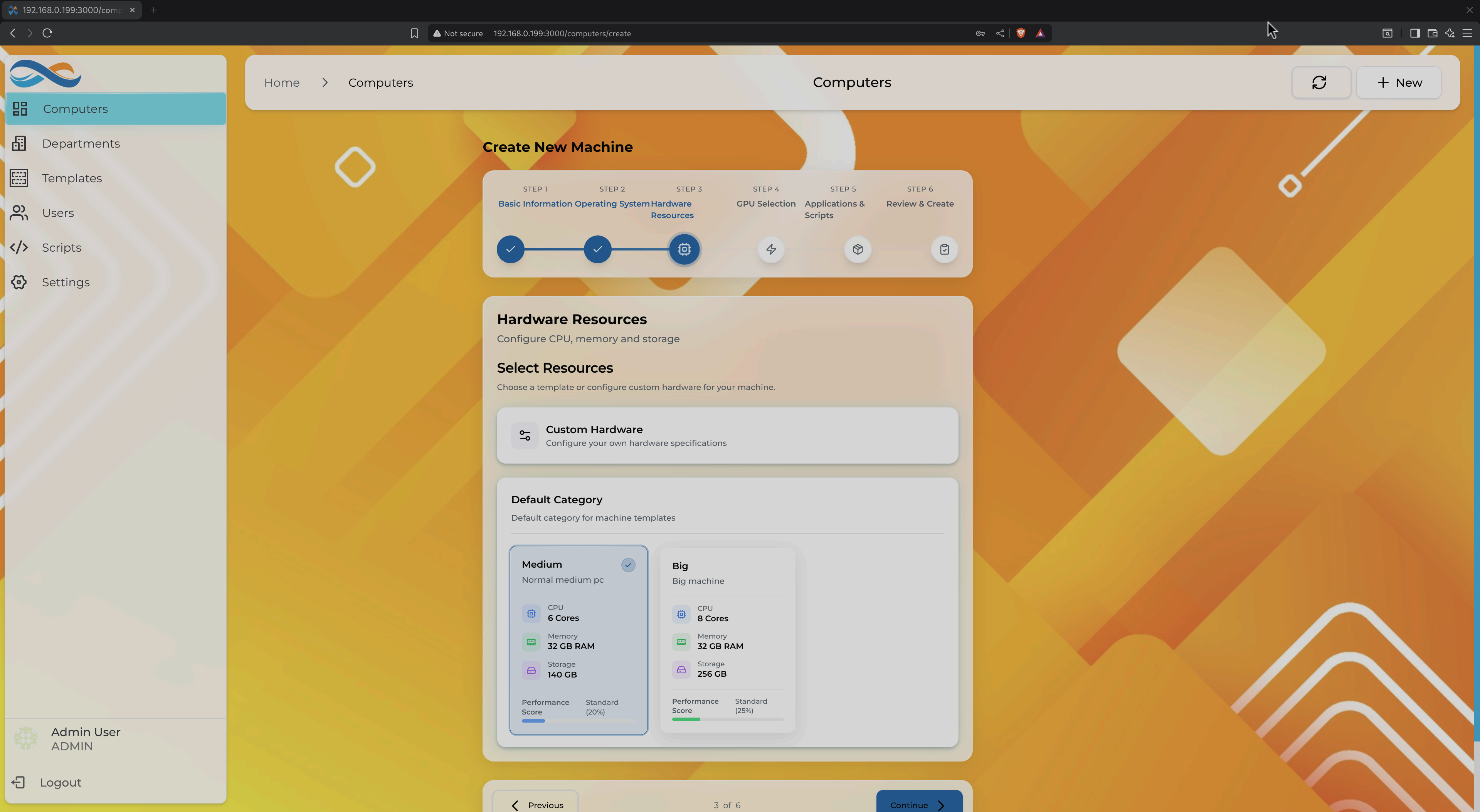
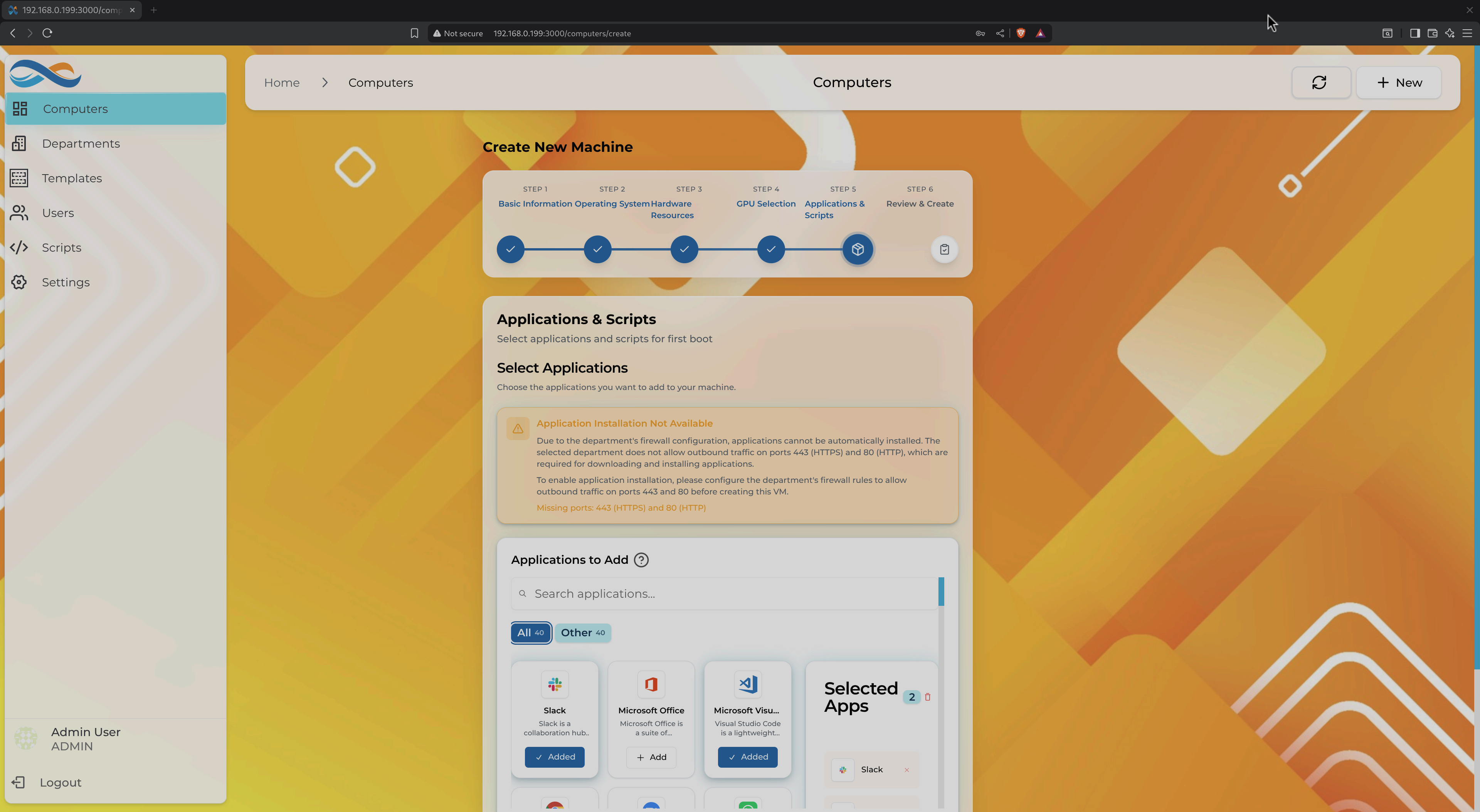
Guided 6-Step Wizard
No need to understand libvirt XML, storage pools, or network configuration. Our wizard breaks down the complex process into simple steps.
- Basic Information - Name, department, and user credentials
- Operating System - Choose from Windows, Ubuntu, or Fedora
- Hardware Resources - Templates or custom CPU, RAM, storage
- GPU Selection - Optional passthrough for gaming/CAD
- Application Selection - Pre-install software automatically
- Review & Create - Confirm and deploy
Automated OS Installation
No more clicking through installation wizards. Infinibay uses unattended installation to fully automate OS setup.
Auto Partitioning
Optimal disk layout configured automatically
User Creation
Credentials from step 1 automatically configured
Driver Installation
VirtIO drivers pre-installed for optimal performance
Installation completes in 10-20 minutes. No user interaction required.
Organization by Departments
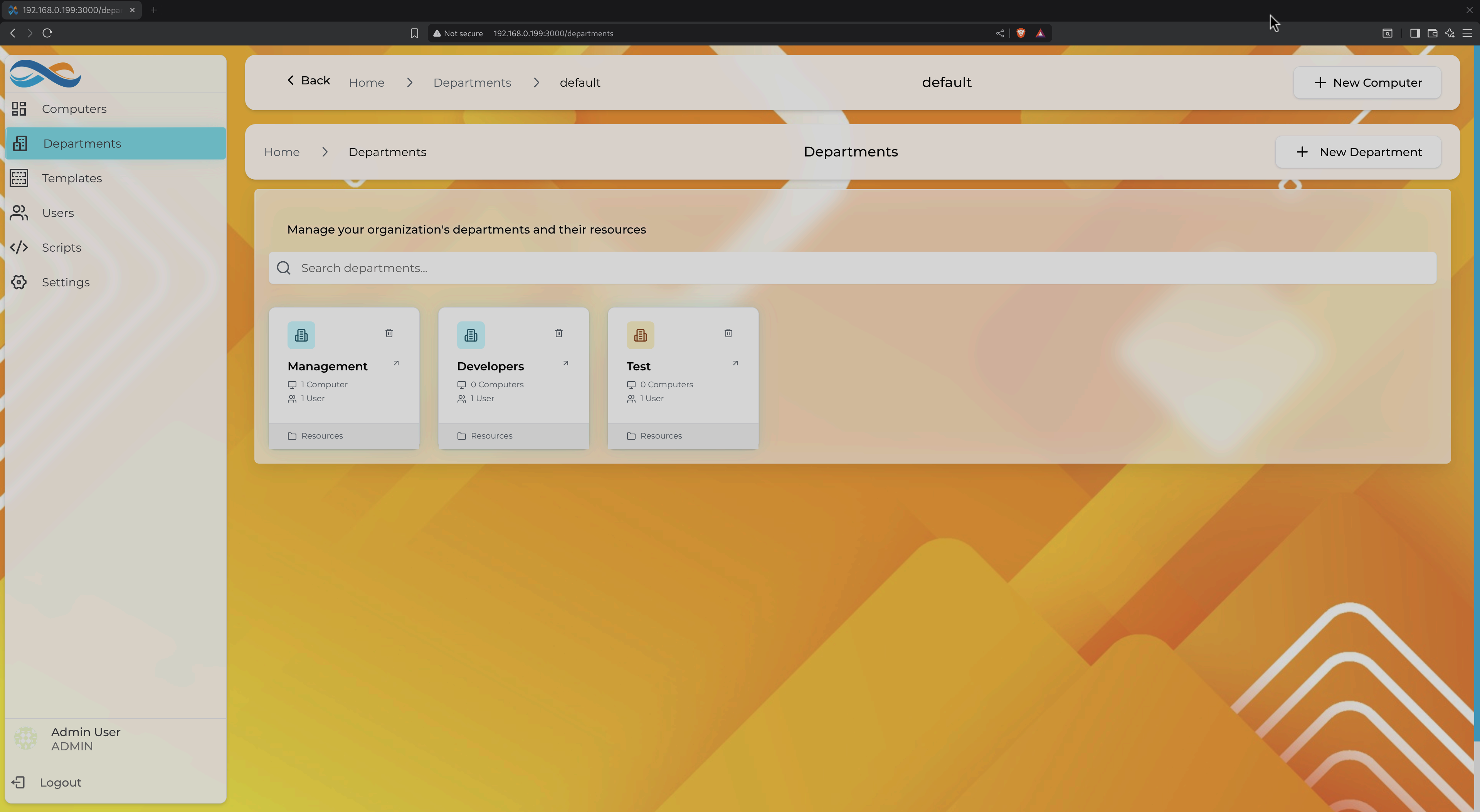
Logical grouping with inherited security policies
Logical Grouping
Organize VMs by team, project, or function. Each department has its own firewall rules and resource organization.
- Inherited Firewall Rules - Security policies apply to all department VMs automatically
- Resource Quotas - Set limits on total CPU, memory, storage (Planned)
- Access Control - User permissions per department (Planned)
Intelligent Firewall Management
Service presets and automatic risk assessment
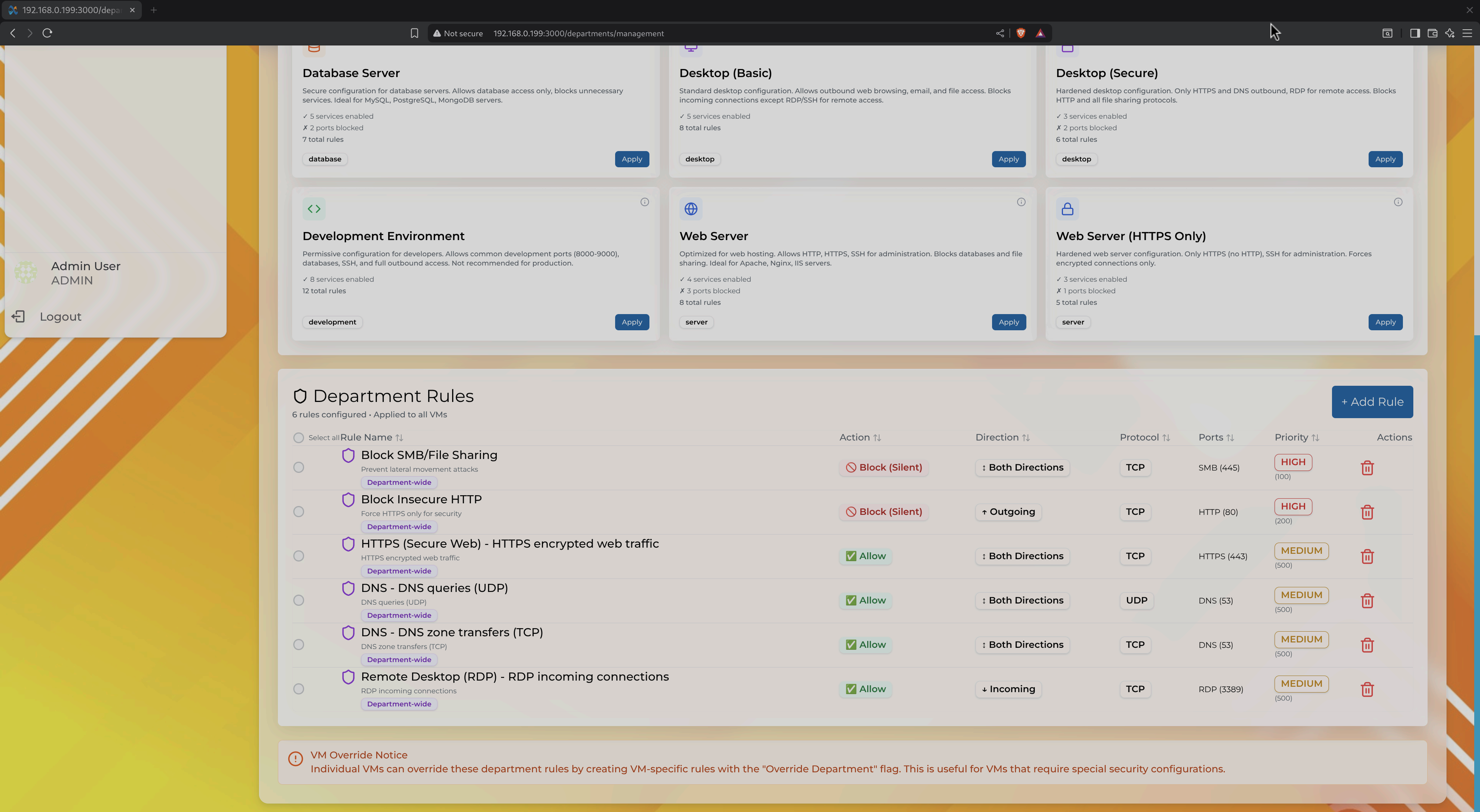
One-Click Service Presets
Skip manual port configuration. Choose from pre-configured services like Web Server, SSH, RDP, Database, and more.
Automatic Features:
- ✓ Risk assessment (HIGH, MEDIUM, LOW)
- ✓ Conflict detection
- ✓ Blocked connection tracking
- ✓ Auto rule suggestions
Department-Level Rules
Apply firewall rules to all VMs in a department. Changes propagate automatically.
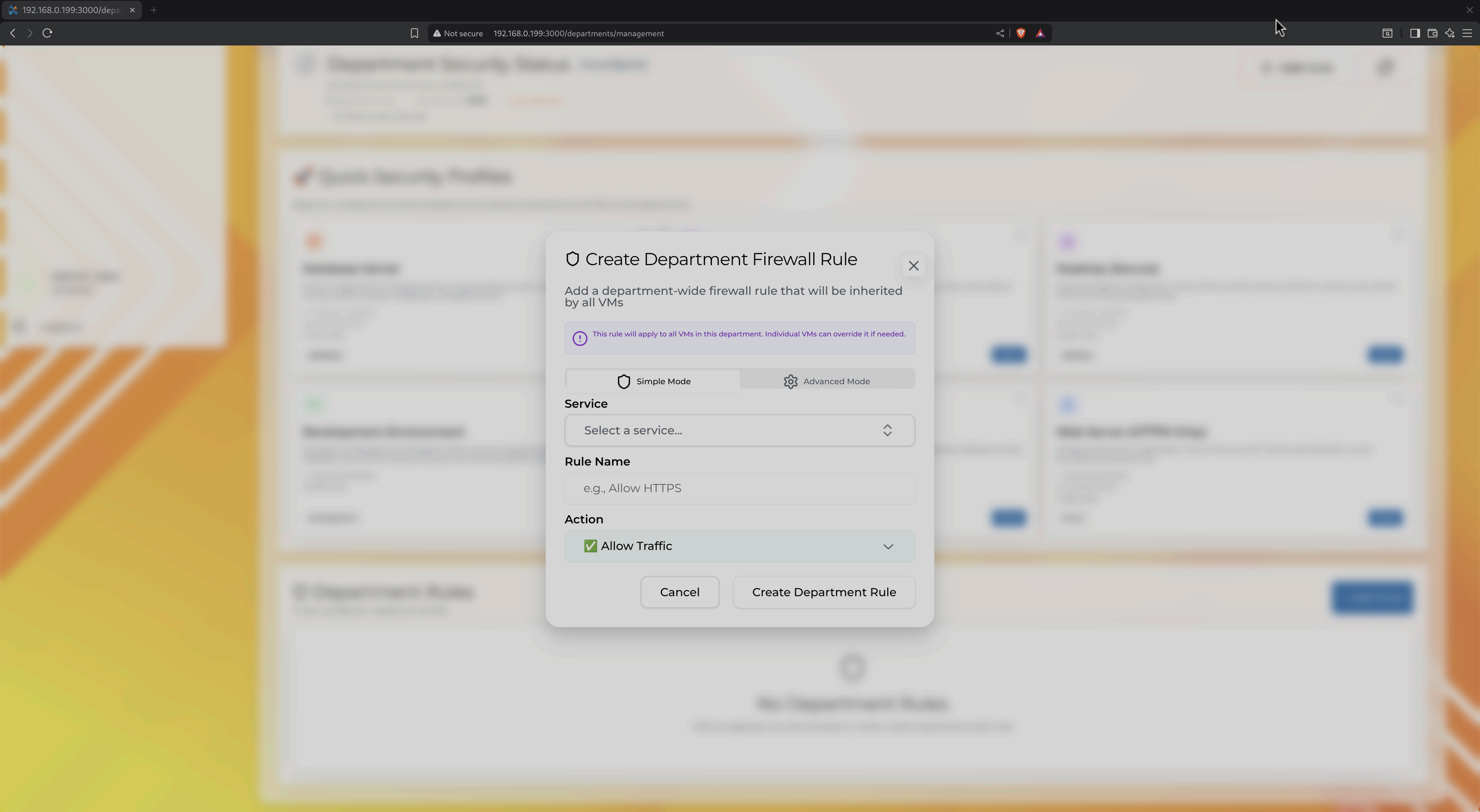
VM-Specific Overrides
Need exceptions? Create VM-specific rules that override department defaults.
Example:
                Department: Block HTTP (port 80)

                VM "web-server-01": Allow HTTP ✓

                VM "database-01": Inherit block
Automated Recommendations
Proactive monitoring with actionable insights
Resource Warnings
Get alerted when VMs are running low on memory, CPU is maxed out, or disk space is filling up.
Security Insights
Detect insecure protocols, overly permissive firewall rules, and unused open ports.
Performance Tips
Optimize slow database queries, reduce memory usage, and fix application startup failures.
Interactive Recommendations
Each recommendation includes context-aware action buttons: View Details, View List, Configure Firewall, and more.
Example: "PostgreSQL connections blocked 47 times" → [Configure Port 5432] [View Firewall Rules]
Automated actions (Auto-Fix, Dismiss, Schedule) coming soon.
Advanced Features
For power users who need more control
Easy GPU Passthrough
Full PCI passthrough for gaming, CAD, ML workloads, or video editing. One-click configuration—no manual VFIO setup.
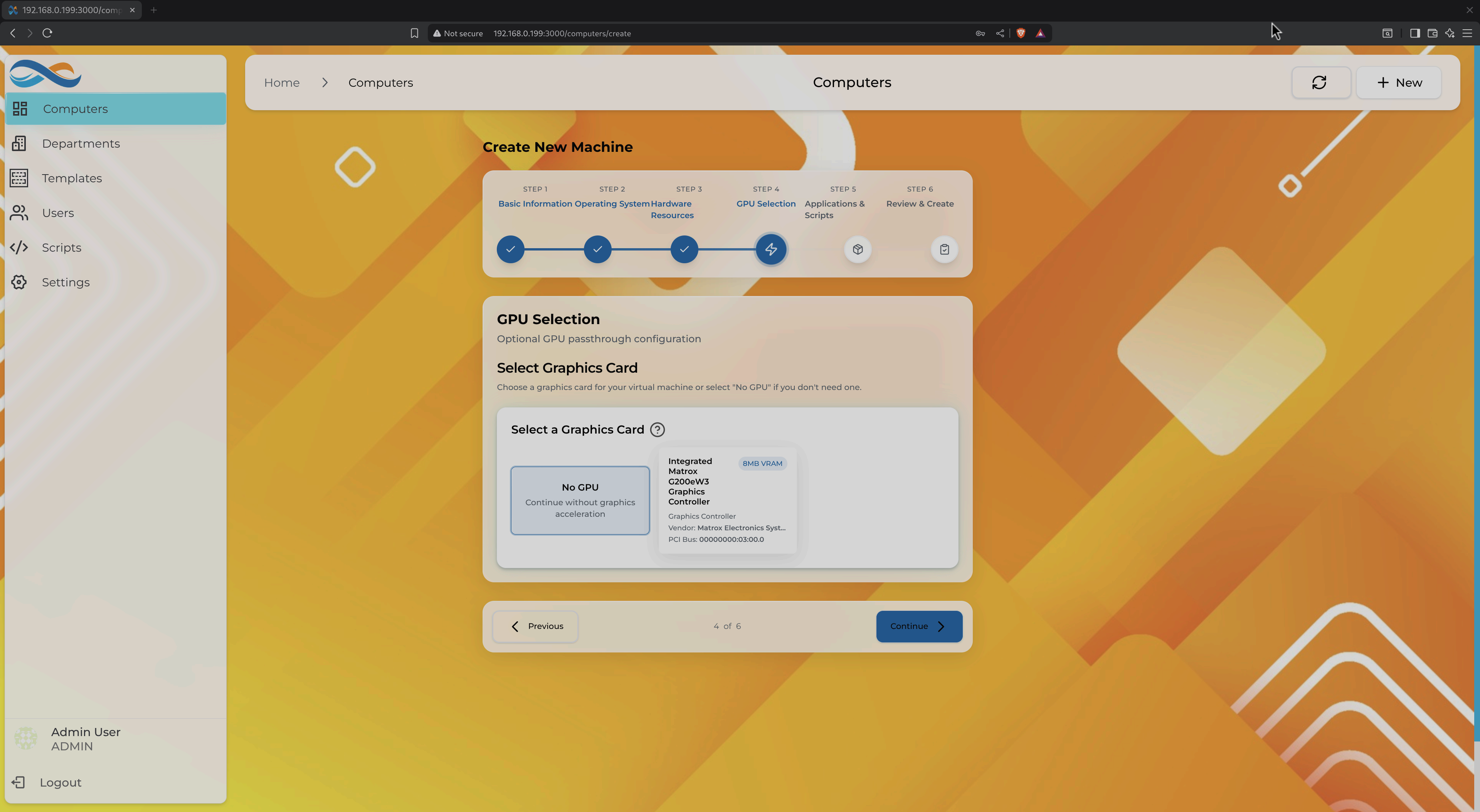
- ✓ Automatic IOMMU group detection
- ✓ Driver unbinding handled automatically
- ✓ NVIDIA, AMD, Intel Arc supported
- ✓ 95-98% native GPU performance
Automation Scripts
Automate software installation, configuration, monitoring, and maintenance with PowerShell, Bash, or Python scripts.
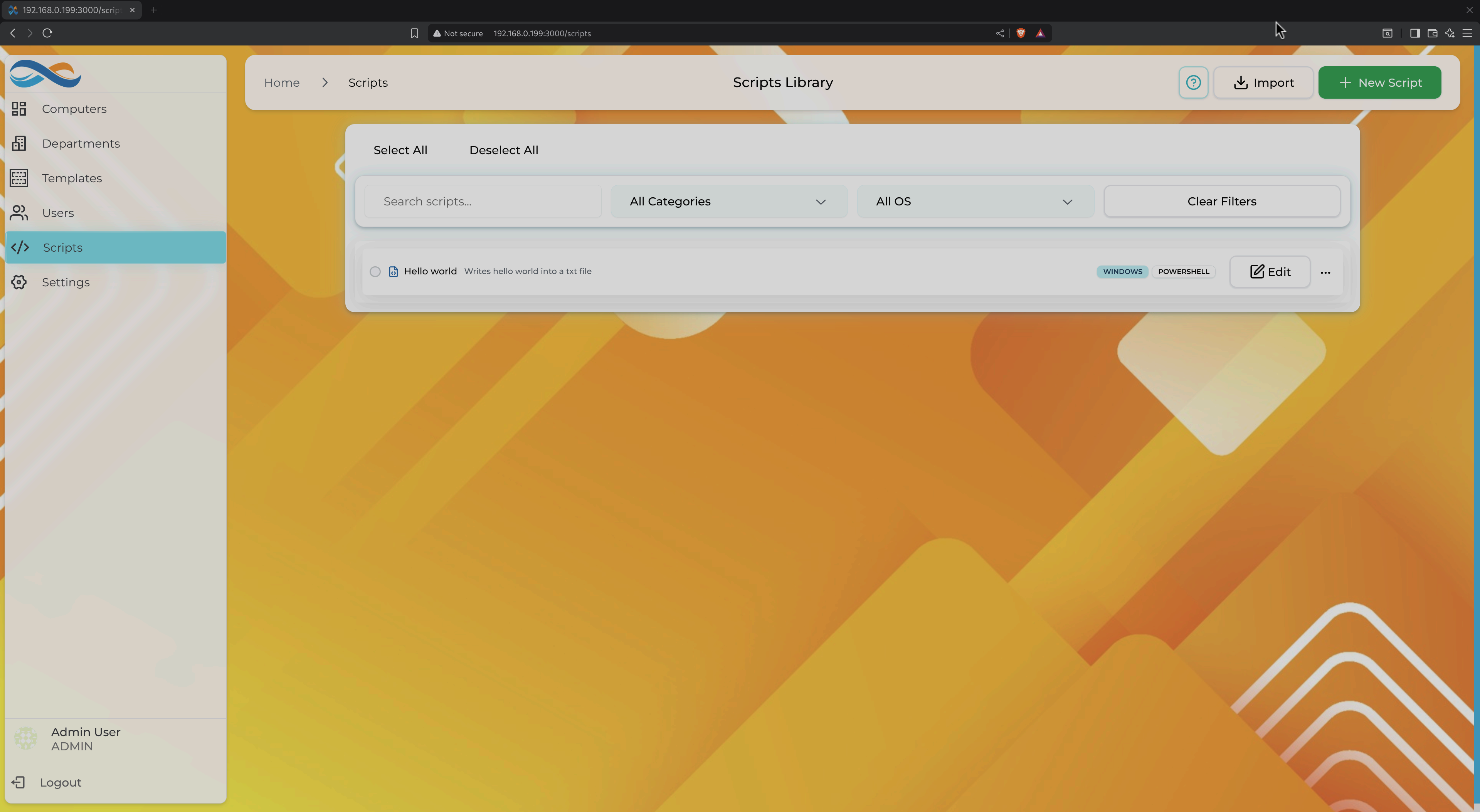
- ✓ Schedule scripts (cron expressions)
- ✓ Event-triggered execution (VM start/stop)
- ✓ Execution logs with output capture
- ✓ Cross-platform (Windows/Linux)
Hardware Templates
Pre-configured resource allocations for common workloads. Create custom templates to standardize deployments.
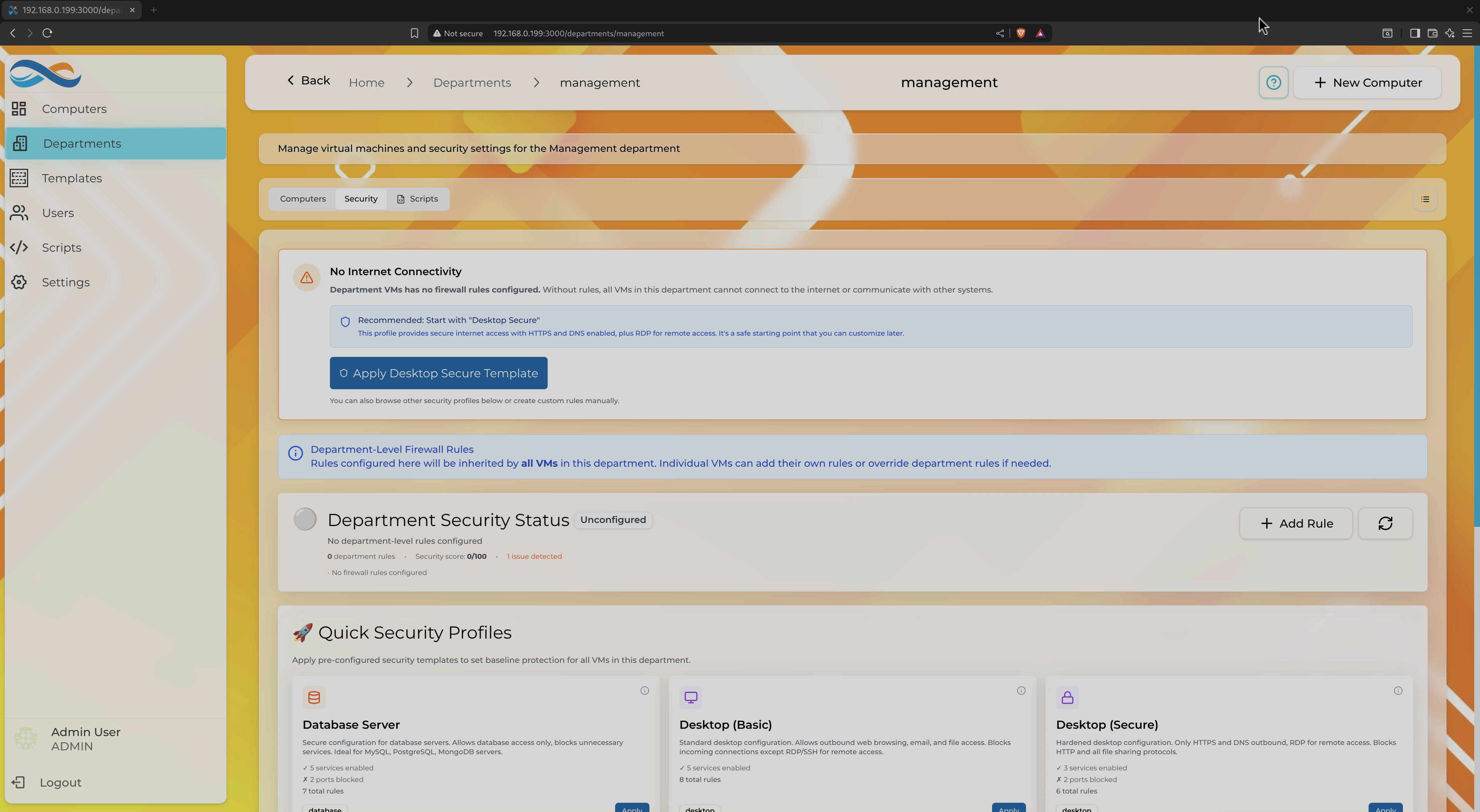
- ✓ Default templates (Medium, Big, etc.)
- ✓ Create custom templates from scratch
- ⏳ Department-specific templates (Planned)
- ⏳ Clone from existing VMs (Planned)
UI Customization
Personalize the interface with themes, wallpapers, sizing options, and custom company logos.
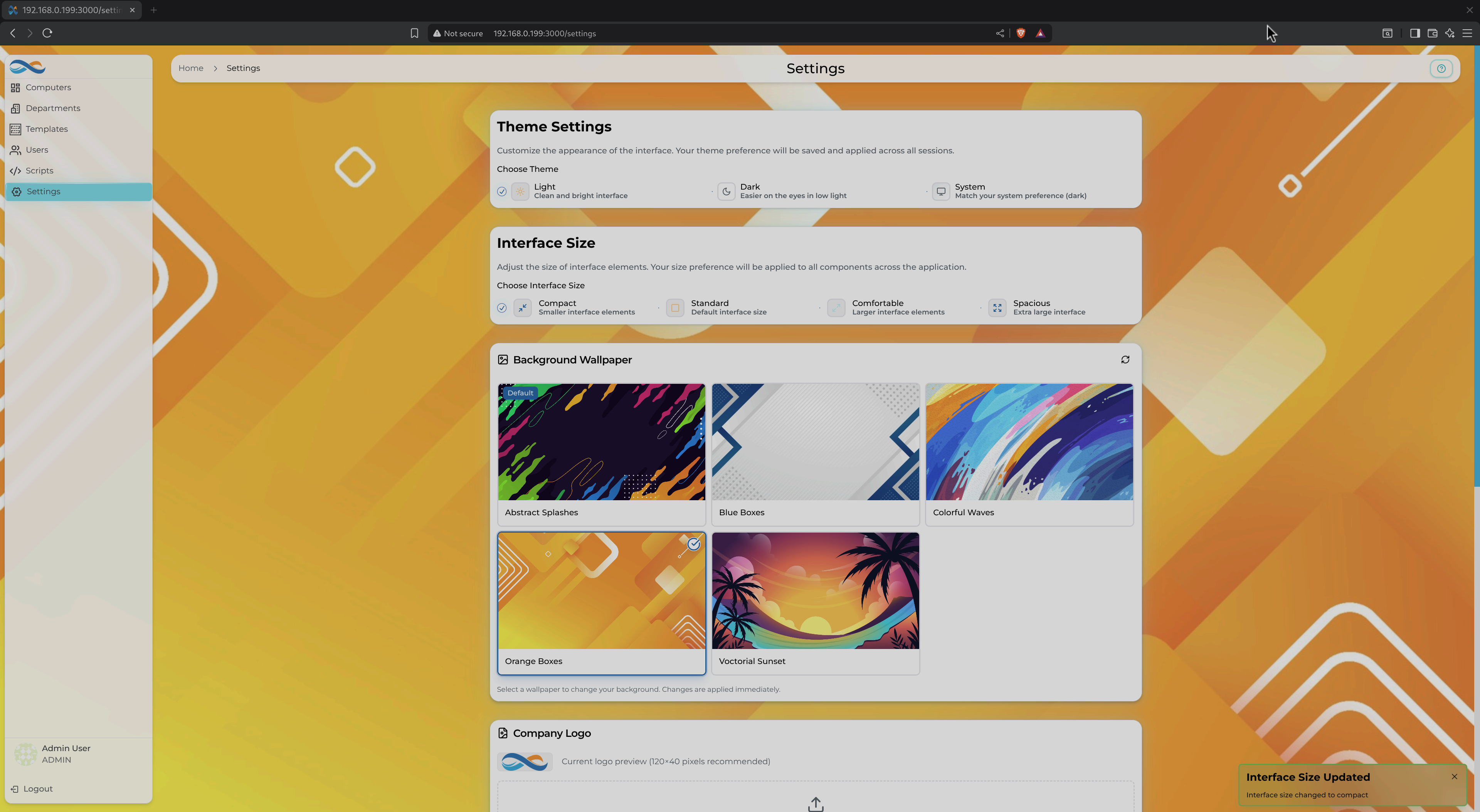
- ✓ Light/Dark/System themes
- ✓ Interface sizing (Compact to Spacious)
- ✓ Custom wallpapers (built-in + upload)
- ✓ Company logo customization
Ready to simplify your VDI?
Get started with Infinibay in minutes. Free and open source under AGPL v3.